Inbound calls
Answer calls with a configured AI agent, route callers by number or connection, and capture the next step.


Telepath runs inbound and outbound AI calls from a native Mac app, with SIP provider connections, tool calling, live call state, Apple Neural Engine assisted local processing, and records that stay on your Mac.
 Coming Soon
for macOS
Coming Soon
for macOS
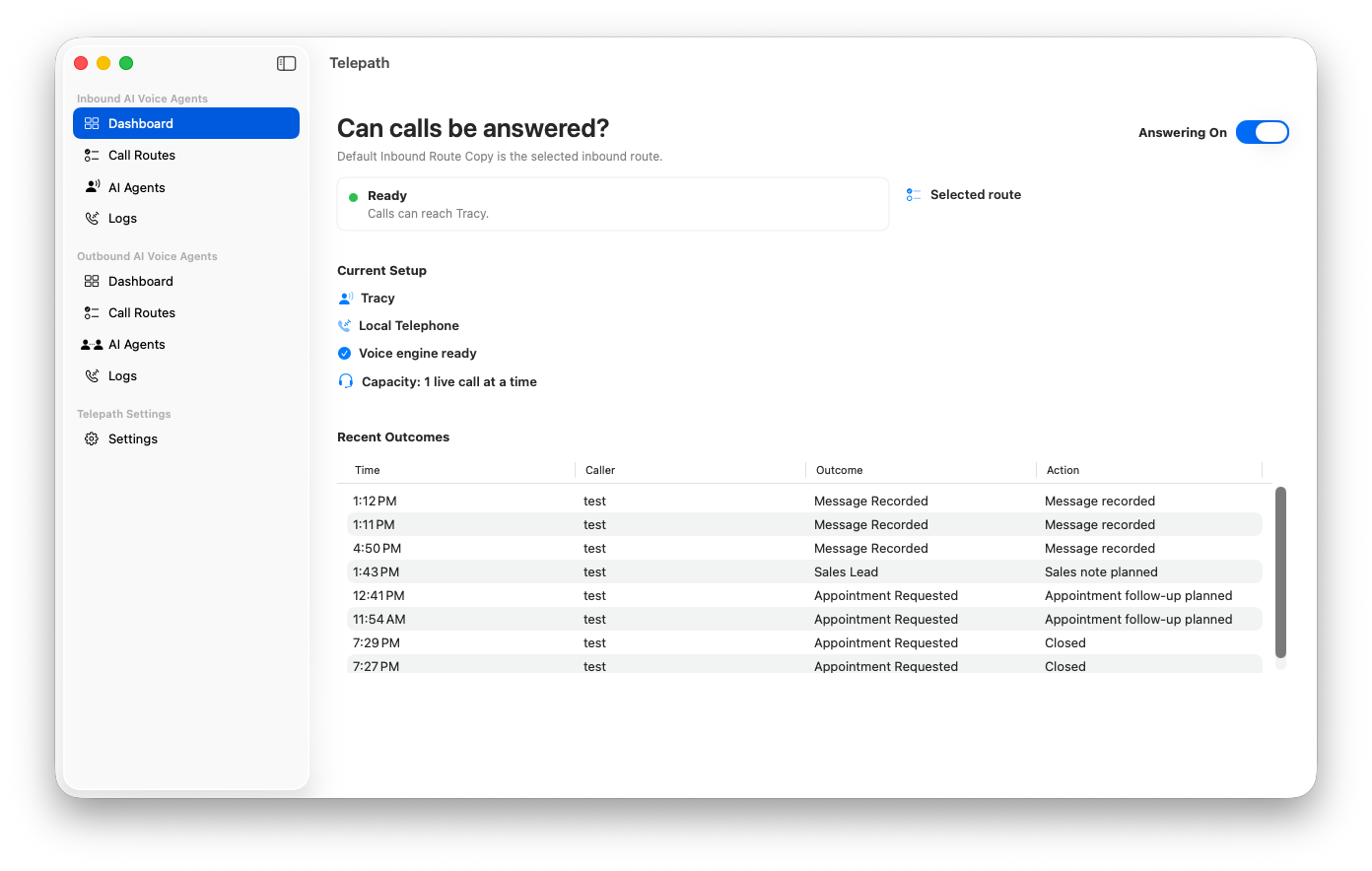
Telepath connects local AI agents to phone calls through your SIP provider, then keeps setup, live calls, logs, transcripts, and webhook tools in one native desktop workflow.
Answer calls with a configured AI agent, route callers by number or connection, and capture the next step.
Place calls manually or work through prepared contact lists with the right agent and context for each call.
Use any SIP provider, with first-class setup for Telnyx and Twilio alongside generic SIP connections.
Telepath uses a native Mac structure for agent setup, SIP connections, live calls, call logs, and local records. It is designed for Apple Silicon Macs, not a hosted browser console.
Runs across Apple Silicon enabled Macs with macOS 26 or later.
Uses Apple Silicon and ANE acceleration for efficient local voice AI, signaling, and media work.
Call logs, transcripts, tool-call logs, diagnostics, and configured local records stay on your Mac.
See call state, queue state, transcript state, readiness, and diagnostics while calls are running.
When someone calls you, Telepath can answer, classify why the caller reached out, and prepare the next step while call state stays visible on your Mac.
Caller need becomes a reviewable outcome, with logs, transcripts, tool calls, and diagnostics on your Mac.
Explore all inbound callsWhen your team needs to reach someone, Telepath helps operators work from prepared context, place focused calls, and mark outcomes without turning the Mac into a call-center console.
Each outreach call ends as a clear status, not another loose note in a spreadsheet.
Explore all outbound callsConnect Telepath to your business systems through webhook tools that work with Zapier, n8n, Make, Pipedream, or your own HTTPS APIs.
Send caller details, need, urgency, transcript summary, and call ID to your workflow.
Capture preferred date, time, timezone, appointment type, and scheduling notes.
Use caller ID or phone number to retrieve customer context and allowed actions.
Notify a team, request human review, or decide whether a transfer should happen.
Built for teams that want inbound and outbound AI calling, SIP choice, tool calling, and local control without another hosted console.
 Soon
Soon